
5-Minute Clinical Consult
Unbound Medicine, IncMedical
4.644.00 Reviews
- Version
- 2.8.52
- Installs
- 50.00K
- Age Rating
- Everyone
Screenshots
Our Review of 5-Minute Clinical Consult
 Analysis by Appyee
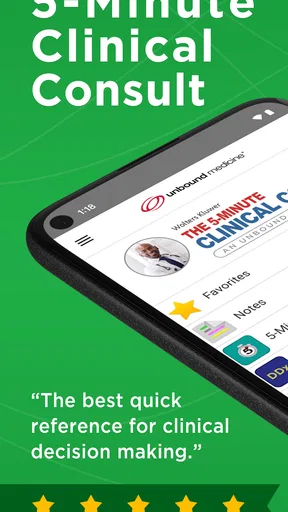
Have you ever found yourself needing quick medical guidance but feeling overwhelmed by the vast ocean of information out there? Well, let me introduce you to something that could be a game-changer: the 5-Minute Clinical Consult app. It's like having a mini medical library right in your pocket, and I've spent some time diving into its features to see what it really has to offer.
Deciding what kind of medical reference you need
Before choosing a clinical reference, I’d ask what I expect to do with it. Am I checking a familiar topic between tasks, trying to structure a first pass through an unfamiliar condition, or looking for a patient-friendly explanation? Those needs overlap, but they aren’t identical. A concise point-of-care reference is most helpful when I already have a clinical question and need a clear route through the basics, diagnosis, treatment, and follow-up.
That is the role I would give 5-Minute Clinical Consult: a quick-reference companion rather than a replacement for training, clinical judgement, local protocols, or a full textbook. It is a medical app from Unbound Medicine, Inc, and the name describes its intended pace better than its depth. I would use it to orient myself and identify the next question to investigate, not to make a high-stakes decision from a single screen.
A practical fit for busy study and clinical routines
The app is especially suited to medical and health-science students who want a repeatable way to review conditions. Instead of opening several general search results and trying to judge which page is relevant, a student can look up a topic and follow a consistent set of sections. That structure can make short revision sessions more purposeful: skim the overview first, then spend time on the part that needs work, such as diagnosis or follow-up.
For a clinician, the value is different. It is useful as a prompt for a quick refresher when a case raises a question about a condition that is not part of the day’s routine. I would treat it as one reference among several, especially when the answer depends on a patient’s history, local guidance, or changing circumstances. The convenience is having an organized starting point close at hand, not having an app decide what care someone needs.
A realistic example is a student on a bus ride home who wants to revisit a condition from a lecture. A short pass through the overview can help refresh the main concepts, while a later, more focused look at diagnosis or treatment can turn that skim into a useful study session. In a clinic, the same quick lookup could help someone frame a question for a senior colleague or open a more detailed reference. In both cases, the best workflow is to use the app to orient, then verify anything consequential through appropriate professional sources.
What’s Inside This Medical Marvel?
First things first, the 5-Minute Clinical Consult is packed with over 900 medical conditions, each offering concise, actionable insights. Imagine needing quick info on a condition; this app dishes it out in a format that's super easy to digest. The app is designed not just for medical professionals, but for anyone who might need reliable medical info on the fly.
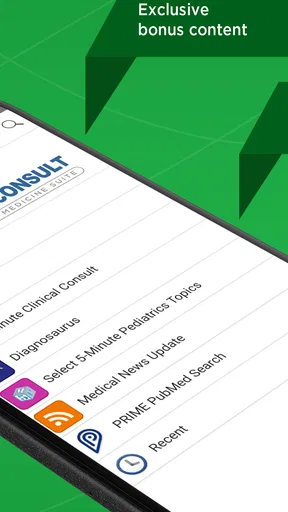
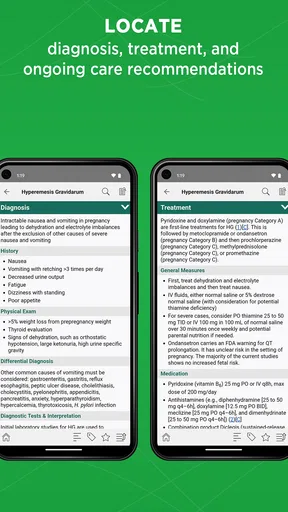
The layout is intuitive, with a search function that gets you where you need to go in no time. Each condition is broken down into sections like Basics, Diagnosis, Treatment, and Follow-up, making it simple to find exactly what you need without wading through unnecessary jargon.
Simplicity Meets Depth
One of the standout features is how the app balances simplicity with depth. You get the essentials in a quick glance, but if you need more detailed information, it’s just a tap away. It's like having a knowledgeable friend who can also provide deeper insights when needed.
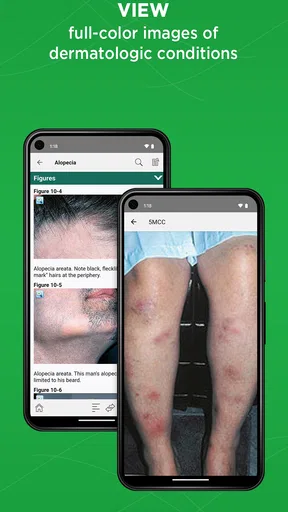
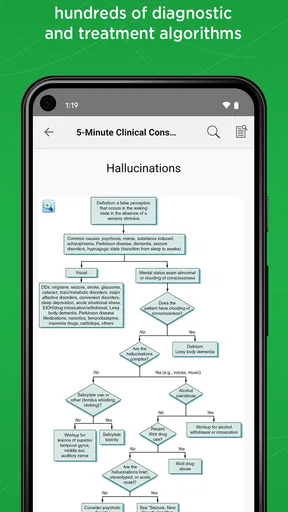
And let’s not forget the handy algorithms and charts. They offer visual aids that can make understanding complex medical concepts a tad easier. It’s not just about reading; it’s about visual learning too.
Making a quick lookup more useful
I find that a consistent entry format can be more valuable than a long article when time is tight. Once I know where a reference places its basic overview, diagnostic discussion, and treatment material, I can move directly to the relevant part instead of rereading background each time. A useful habit is to start with the question I actually have, rather than reading every section from top to bottom. If I am revising, I might compare the diagnosis and follow-up sections; if I am checking a familiar topic, I can focus on the specific detail I need to revisit.
The visual material also has a particular role: charts and algorithms can make a sequence easier to grasp than a block of prose, but they should be read as aids to understanding rather than automatic instructions. I would pause to check what assumptions a pathway makes and whether it applies to the situation in front of me. That is especially important for anyone using a reference outside their area of training. A diagram can clarify a concept, but it cannot account for every patient-specific factor.
Offline Access: A Lifesaver
Another feature that caught my eye is the offline access. You know those moments when you’re in a signal dead zone? Yeah, we’ve all been there. This feature ensures that you have access to all the information you need, anytime, anywhere. It's a real lifesaver, especially in situations where immediate access to reliable information is crucial.
Planning around offline use
Offline availability matters most when I prepare before travelling or working somewhere with unreliable reception. I would open the app while connected and make sure the material I expect to need is available before relying on it away from a network. That small check is worth doing with any offline reference: it avoids discovering at the wrong moment that a particular resource has not been made available locally.
There is a trade-off here. Offline access makes a reference dependable in a dead zone, but it does not mean the content should be treated as a live connection to current local guidance. If I am dealing with a decision where updated policy or a local pathway matters, I would check the relevant source when I can. For study, travel, and quick orientation, offline reading is a practical strength; for time-sensitive clinical decisions, it is one part of a broader checking process.
User Experience & Design
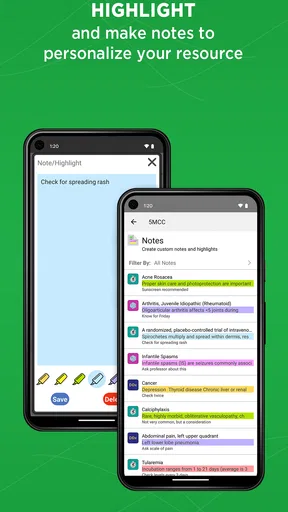
Let’s talk about the user experience for a moment. The app design is clean and straightforward. You’re not bombarded with ads or unnecessary fluff. The interface is smooth, making navigation a breeze. I found the bookmarks and notes feature particularly useful. Being able to save critical information for later or jot down quick notes is a thoughtful touch.
Keeping a personal reference usable
Bookmarks and notes are most helpful when they support a deliberate routine, not when they become a pile of saved pages. I would bookmark only topics I expect to revisit, such as material linked to a current course or a recurring area of work, and use notes for reminders about what I want to check next. That turns a quick reference into a more personal study aid without confusing personal annotations with authoritative medical guidance.
One practical limitation of any compact clinical app is that a tidy interface can make the material feel more definitive than it is. I would not assume that a brief entry covers every uncommon presentation, patient group, or local treatment constraint. If a case is complex, unusual, or urgent, the app’s concise structure is a reason to move on to a fuller source or professional advice, not a reason to stop looking.
How it compares with other medical references
Compared with a broad web search, a structured reference has the advantage of keeping condition information in a predictable format. Search results can be useful when I need a particular guideline, an institution’s patient handout, or a recent discussion, but they can also mix sources written for very different audiences. This app is a better starting point when I want a compact overview organized around clinical topics rather than a general list of pages.
A full textbook or specialist reference is the better choice when I need extensive explanation, detailed context, or depth on a narrow subject. A general health-information site may be more suitable when I am helping a family member understand a diagnosis in plain language. The app sits between those options: more structured for clinical learning than casual searching, but not a substitute for a comprehensive specialist source. I would choose based on the question, not expect one reference to do every job.
Target Audience: More Than Just Doctors
While the app is a fantastic tool for healthcare professionals, it’s also incredibly useful for students and even non-medical folks who want to stay informed. The language is clear and devoid of overly technical terminology, making it accessible to everyone.
Who should be cautious about using it
For people without medical training, I would draw a firm line between learning about a condition and deciding how to treat it. The app can help someone become familiar with terminology or prepare thoughtful questions for an appointment, but concise clinical content is not necessarily written as a personal care plan. If symptoms are serious or worsening, an app lookup should not delay contacting an appropriate healthcare professional or emergency service.
It may also be the wrong fit for readers who mainly want everyday wellness advice, broad symptom checking, or a simple explanation written specifically for patients. In those cases, a trusted patient resource or direct conversation with a clinician is usually a better match. The app’s strongest use is organized clinical reference, so its value depends on wanting that kind of material in the first place.
Cost, access, and version details
The app is free to download, while in-app purchases range from $0.99 to $99.99 per item. I would check what is included in the version available to me before building a routine around paid content. That matters because “free to install” and “every resource is free to use” are not the same promise. If I only need a brief look around, I can first see whether its available content fits my needs; if I expect to rely on it regularly, I would weigh the cost of any additional material against the references I already use.
It has an Everyone content rating, a current version of 2.8.47, and requires Android 9 or later. It was released on May 11, 2015, and has an average rating of 4.6 from 561 ratings, with 50K+ installs. Those figures suggest that it has found an audience, but I would still judge it by whether its organization and scope suit my own work or studies. The current edition is presented with bonus features, which makes it sensible to review the available contents and purchase details directly in the app before paying.
Regular Updates & Reliability
Staying up-to-date is crucial in the medical field, and the app does not disappoint. It regularly updates its content to ensure you’re getting the latest medical guidelines and information. This commitment to accuracy and current information is what sets it apart from other resources.
The app's reliability is also noteworthy. I didn’t encounter any glitches or crashes during my use. It’s stable and runs smoothly, which is essential when you’re relying on it for critical information.
What switching to it really involves
If you already use a medical reference, I would not replace it immediately. Try this app alongside your existing resource for the tasks it appears designed to handle: quick orientation, structured review, and offline consultation. Notice whether the way it organizes a condition helps you reach the right section faster, and whether the level of detail is enough for your usual questions. If you repeatedly need deeper explanations or local protocols, keep those other sources in your workflow.
Switching is less about moving a library and more about changing a habit. Bookmarks and notes can make the app more useful over time, but they work best if you decide what belongs there and keep your saved material easy to revisit. I would also check the version and available content after installing, then make a short list of the topics I actually use. That is a low-effort way to find out whether it earns a place on the home screen rather than becoming another unused reference.
Final Thoughts
All in all, the app is a solid resource that combines convenience with comprehensive medical insights. Whether you’re a medical professional, a student, or someone who just wants to have reliable medical information at your fingertips, this app is definitely worth checking out. It’s like carrying around a pocket-sized doctor that you can consult anytime you need it.
If you’re interested in giving it a go, you can find it available for both Android and iOS. Trust me, having this app on your phone is like having a trusty sidekick ready to offer expert advice whenever you need it. Happy consulting!
My recommendation
I would recommend it to students and health professionals who want a compact, section-based reference they can consult during study or as an initial refresher. Its search, organized condition entries, visual aids, bookmarks, notes, and offline access give it a clear practical identity. The rating is encouraging, but the better reason to try it is whether that format matches the way you prefer to look up medical topics.
I would skip it as a primary resource if I needed patient-specific direction, a specialist-level deep dive, or a plain-language guide for someone without clinical background. For those needs, a clinician, specialist text, local guidance, or patient-focused source is a better choice. Used with those boundaries in mind, it can be a handy addition to a medical reference toolkit rather than a substitute for sound judgement.
Verdict
Strengths of 5-Minute Clinical Consult
- Comprehensive medical reference at fingertips.
- Intuitive interface for easy navigation.
- Regular updates with the latest medical info.
- Offline access for on-the-go use.
- Search function is fast and efficient.
Limitations of 5-Minute Clinical Consult
- Heavy app size may affect storage.
- Subscription required for full access.
- Limited multimedia content.
- Some advanced topics are missing.
- Occasional slow loading times.
Other Releases by Unbound Medicine, Inc
View All
DSM-5-TR Differential Dx
Medical4.4

Nursing Central
Medical4.8

Davis's Drug Guide
Medical4.8

Johns Hopkins Antibiotic Guide
Medical4.8
Similar Picks in This Category
View All
WebMD: Symptom Checker
WebMD, LLC4.1

Microphone Amplifier
DOSA Apps4.2

Anatomy Learning - 3D Anatomy
3D Medical OU4.5

Period Tracker and Calendar
SimpleInnovation4.9

GoodRx: Prescription Coupons
GoodRx4.8

CVS Health
CVS Pharmacy4.5
Frequently Asked Questions
What is the primary purpose of the 5-Minute Clinical Consult app?
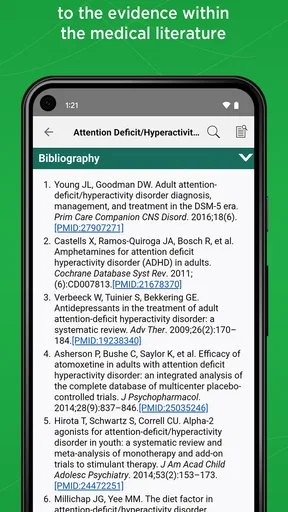
The 5-Minute Clinical Consult app is designed to provide healthcare professionals with quick access to essential clinical information. It offers concise, evidence-based content for over 2,000 medical conditions, making it an invaluable resource for quick reference during patient consultations and decision-making in various healthcare settings.
Is the 5-Minute Clinical Consult app suitable for medical students?
Yes, the app is highly beneficial for medical students. It offers an extensive database of medical conditions, treatment guidelines, and diagnostic tools, which can enhance their learning. The app’s succinct information format helps students quickly grasp key concepts and apply them during clinical rotations or exams.
How often is the content of the 5-Minute Clinical Consult updated?
The content of the 5-Minute Clinical Consult app is regularly updated to ensure users have access to the latest medical guidelines, research, and clinical practices. Updates typically align with new medical findings and changes in healthcare standards, providing users with the most current and accurate information available.
Does the app require an internet connection for full functionality?
While the 5-Minute Clinical Consult app can be used offline for accessing most of its features, an internet connection is needed for initial downloads, updates, and accessing certain dynamic content, such as multimedia elements or integrated online resources, ensuring a comprehensive user experience.
What platforms is the 5-Minute Clinical Consult app available on?
The app is available for both Android and iOS platforms, making it accessible to a wide range of devices. Users can download it from the Google Play Store for Android devices or the Apple App Store for iOS devices, ensuring compatibility with smartphones and tablets.
